
Overview
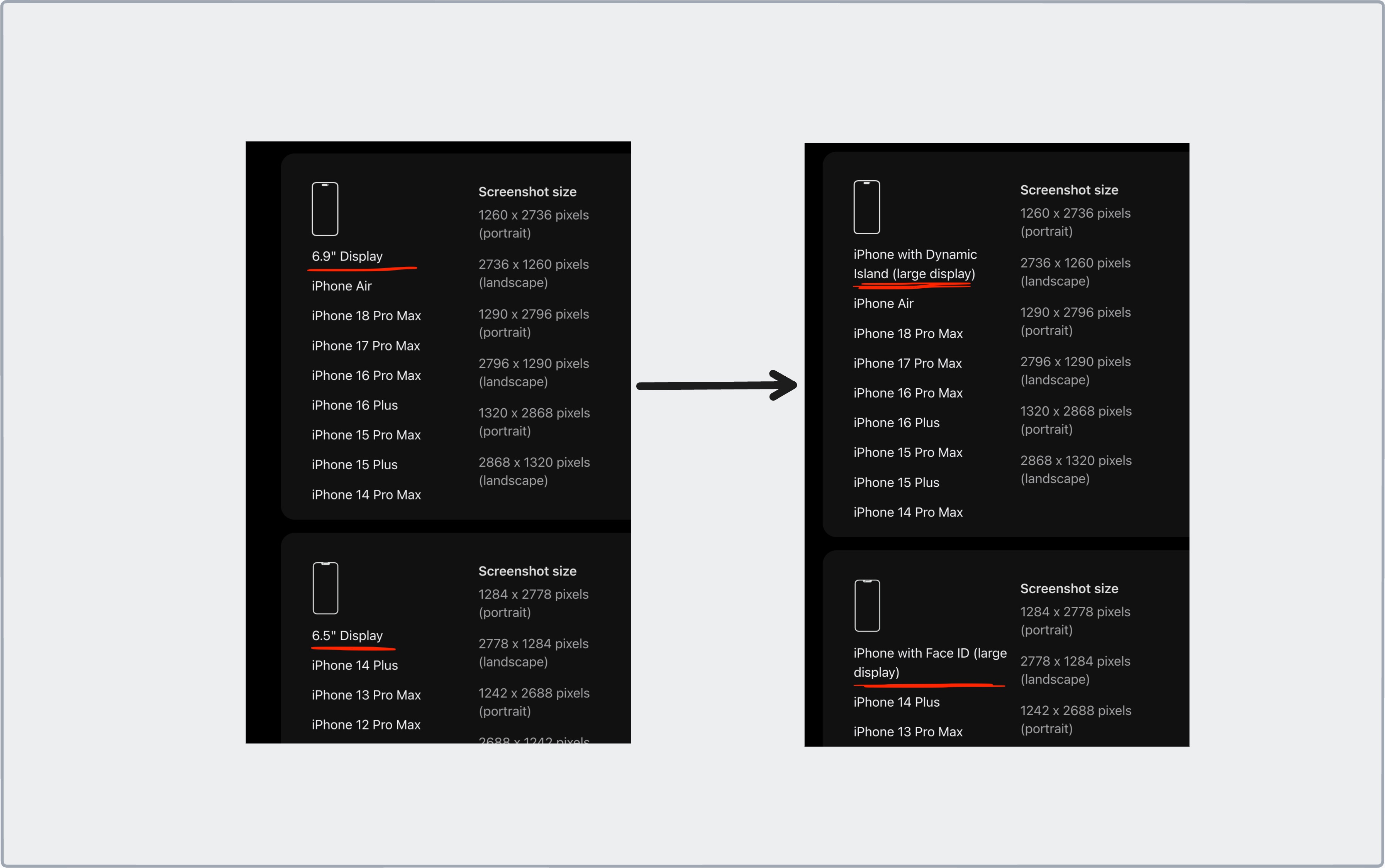
Before this change, App Store labelled iPhone screenshot groups in inches like: 6.9” Display, 6.5” Display, 6.3” Display, 6.1” Display and so on.
New screenshot specifications don’t use those names anymore. The iPhone groups are now labelled after their display style and their size class, like iPhone with Dynamic Island (large display).
Comparison against the older labels specs listing using the Wayback Machine. A capture from September 16, 2026 still uses inches. It seems like since October 6, 2026, Apple started using these new labels.
Note: The changes are only to the iPhone screenshots groups label. Other group details remain unchanged.
Old Labels vs New Labels
| Old label | New label | Screenshot sizes (portrait) |
|---|---|---|
| 6.9” Display | iPhone with Dynamic Island (large display) | 1260 x 2736 px, 1290 x 2796 px, 1320 x 2868 px |
| 6.5” Display | iPhone with Face ID (large display) | 1284 x 2778 px, 1242 x 2688 px |
| 6.3” Display | iPhone with Dynamic Island (medium display) | 1179 x 2556 px, 1206 x 2622 px |
| 6.1” Display | iPhone with Face ID (medium display) | 1170 x 2532 px, 1125 x 2436 px, 1080 x 2340 px |
| 5.5” Display | iPhone with Home Button (large display) | 1242 x 2208 px |
| 4.7” Display | iPhone with Home Button (medium display) | 750 x 1334 px |
| 4” Display | iPhone with Home Button (4” display) | 640 x 1096 px (no status bar) or 640 x 1136 px (with status bar) |
| 3.5” Display | iPhone with Home Button (3.5” display) | 640 x 920 px (no status bar) or 640 x 960 px (with status bar) |
| No inch label | iPhone Duo | Outer: 1398 x 2034 px. Inner: 2007 x 2853 px |
Source: Apple screenshot specifications, September 16, 2026 version and current version.
What It Means for You
Nothing changes for you as a developer. It’s just a group label change, and no other details in the iPhone screenshot groups have been changed.
Walkthrough of exporting screenshots for different iPhone groups? Check out How to Create App Store Screenshots.