
Are you an app developer struggling to create stunning app store screenshots? Do you find the process tedious and time-consuming? You’re not alone. Many app developers face the challenge of creating high-quality screenshots that showcase their app’s features and benefits in a visually appealing way.
That’s where AppShots comes in. It’s a tool designed to make it easier than ever for app developers to create stunning app store screenshots in minutes. With its easy-to-use interface and powerful features, AppShots is the solution you’ve been looking for.
In this blog post, we’ll introduce you to AppShots and show you how it can help you create professional-looking screenshots quickly and easily.
So, if you’re tired of spending hours creating app store screenshots, keep reading to learn more about AppShots.
Key Features of AppShots
Here are some of the key features of AppShots that make it the ultimate solution for creating app store screenshots:
🚀 Better and Faster
Are you tired of spending hours creating app store screenshots? AppShots makes it easy for you to spin up store screenshots in minutes while being easy to use. With AppShots, you can get things done faster and focus on other important aspects of your app development.
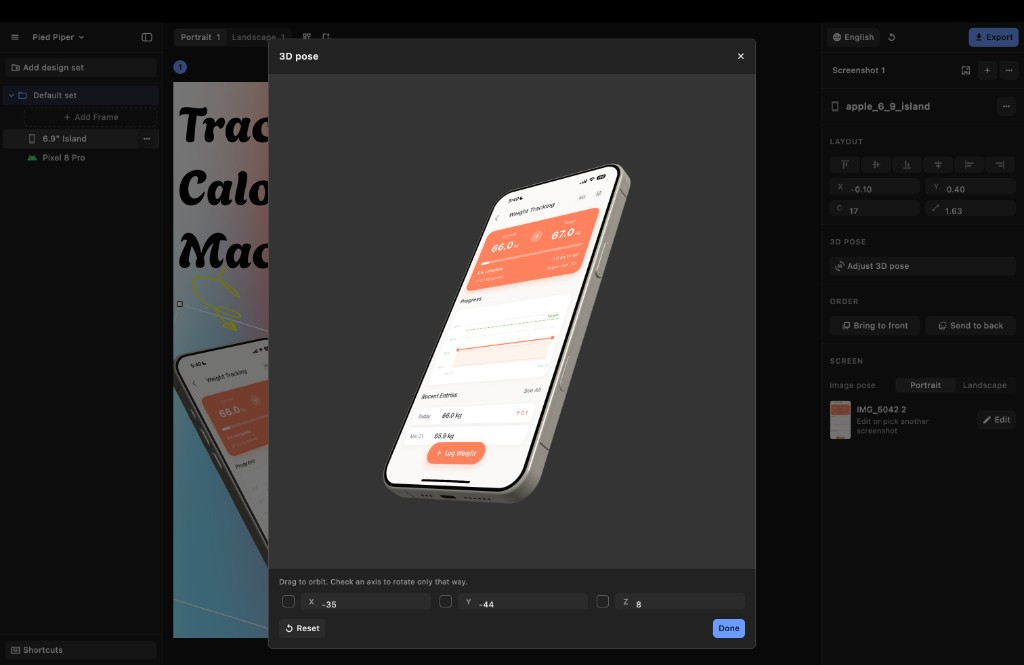
Intuitive and 🛠️ Flexible Controls
Editing controls are designed for easy use and faster use. With AppShots, you can easily customize your screenshots to showcase your app’s features and benefits in a visually appealing way. The intuitive and flexible controls make it easy for you to create the perfect screenshot.
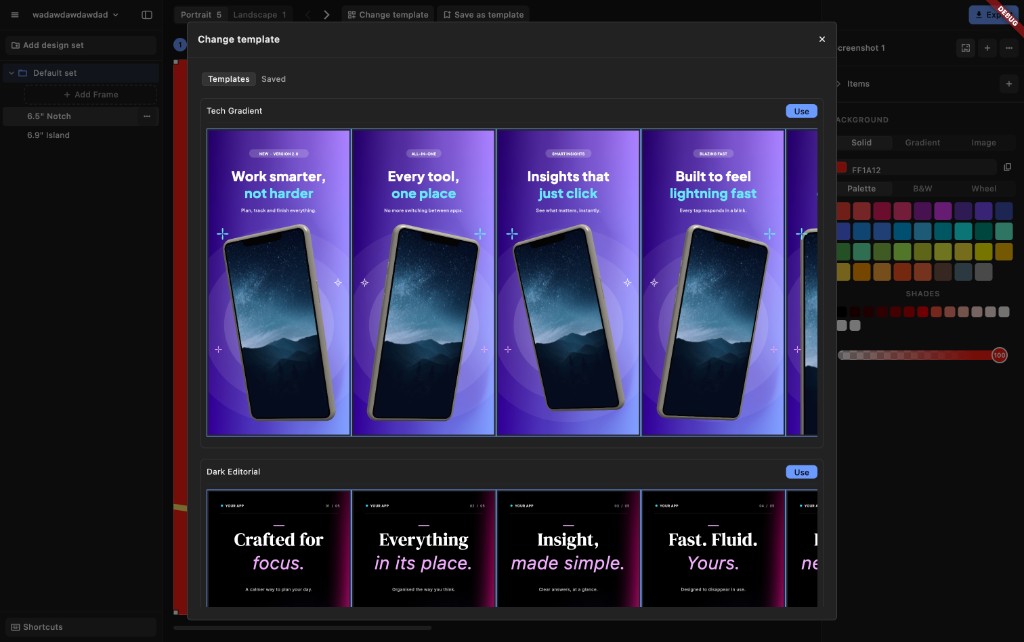
✨ Ready to use templates
Are you struggling to come up with a design for your app store screenshots? With AppShots, you don’t have to. Pick from a variety of uniquely designed and ready-to-use screenshot templates. This feature saves you time and effort and ensures that your screenshots look professional and eye-catching.
🌍 Built-in Localization Support
Are you planning to reach a wider global audience with your app? AppShots has got you covered. With its built-in localization support, you can easily localize the screenshot content to suit different languages and regions. This feature saves you the extra effort of manually editing each screenshot for each language.
😌 Easy To Manage
With AppShots Apps feature, you can manage screenshots for multiple apps with ease. This feature makes it easy for you to keep track of your screenshots and ensure that they are up-to-date with the latest app store guidelines.
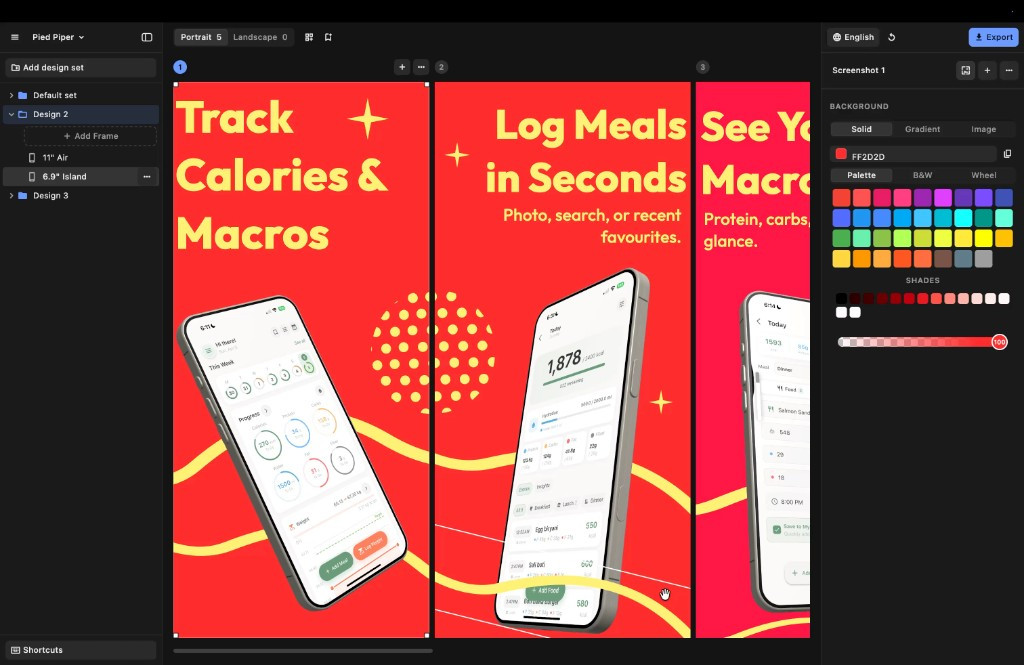
📱 Up-to-date device frames
With AppShots, you can be sure that your screenshots are up-to-date with the latest device frames and screenshots standards. This feature saves you the extra effort of remembering what screenshot size and device frame Apple or Google wants.
Conclusion:
Don’t waste any more time trying to create screenshots from scratch. Download AppShots on the App Store today and start creating eye-catching screenshots that attract more downloads. Remember, the app store screenshots are the first impression that potential users have of your app, so make sure they stand out from the crowd with AppShots.